
Playing on the Go With the WoolBet casino Mobile App
A phone is now the main gaming device for a lot of people. It is always nearby, it handles live video well, and a two minute session on the bus is easier than booting up a laptop. The mobile app is designed with that in mind: quick to open, simple to move around and connected to the same account you use everywhere else.
Below you will find a practical walkthrough of the app. It explains what is inside, how to install it on Android and iOS, how to sign up or sign in, what your device needs, which games work best on a small screen, how deposits are made and where to turn when something does not work. The interface is in the English language, and all amounts are in USD.
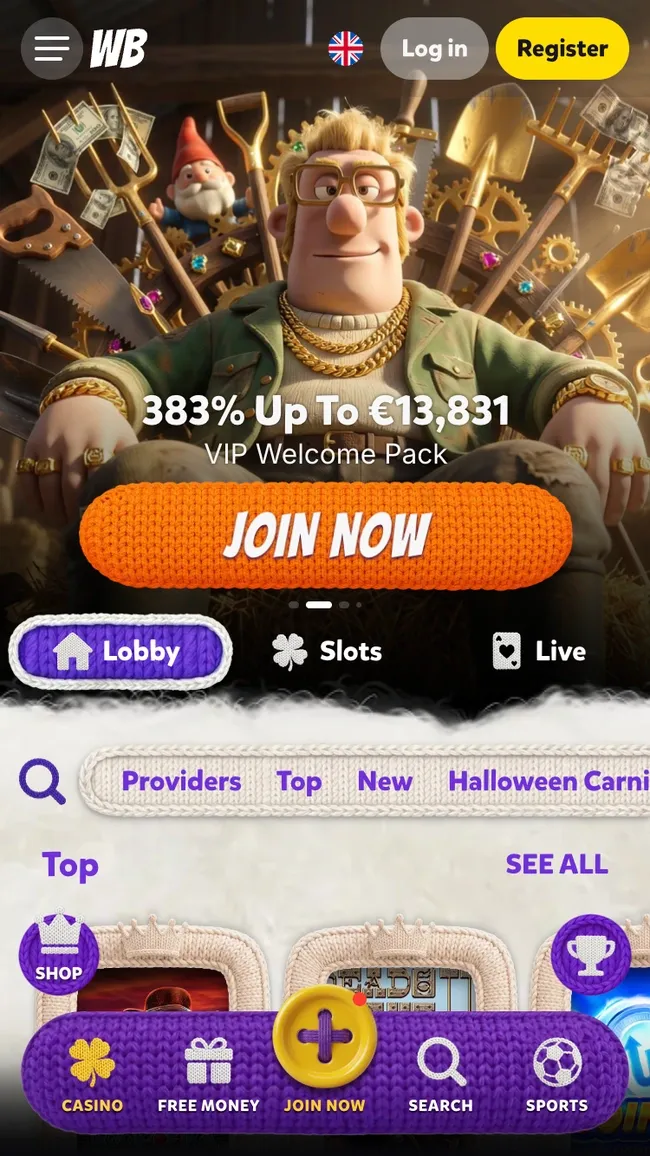
What the WoolBet app actually lets you do
Think of the app as the full site, reshaped for touch. The lobby, the sportsbook and your profile are each one tap away from a menu at the bottom of the screen. Games open in full screen, and the cashier slides up as a panel without pulling you out of a session.
The features players use most are:
- A searchable game lobby with filters by provider and game type.
- A sportsbook with pre match markets and live in play betting.
- A mobile cashier for deposits, withdrawals and bonus selection.
- A bonus section showing active offers and wagering progress.
- Responsible gambling tools such as deposit limits and time outs.
- In app live chat with the support team.
The sportsbook part is worth a mention. Live odds update in real time, and the bet slip stays pinned at the bottom of the screen, so you can build an accumulator while watching the match. Cash out is available on many markets, letting you settle a bet early if you want to lock in a result. For players who split their time between slots and WoolBet betting, having both in one place saves a lot of tapping.
Personal settings travel with you too. Your favourite games, your recent bets and your limits are stored on the account, not the device. If you switch phones, everything is there after you sign in.
Getting the Wool Bet app onto Android and iPhone
Because the app is linked to real money gaming, it is installed through the official site rather than a public store. On Android you download an installation file. On iPhone you add a web app to the home screen. Both methods take about a minute.
|
Step |
Android |
iPhone and iPad |
|---|---|---|
|
1 |
Open the site in your phone browser |
Open the site in Safari |
|
2 |
Tap the app banner or menu link |
Tap the Share icon |
|
3 |
Download the APK file |
Choose Add to Home Screen |
|
4 |
Allow installs from this source if asked |
Confirm the name and tap Add |
|
5 |
Open the file and tap Install |
Launch from the new icon |
On Android, the permission to install from your browser is a standard security prompt. It only applies to files you choose to open, and you can switch it off again once the app is installed. Never install a casino file sent to you by a stranger or posted on a forum. Always take it from the official site.
On iPhone, the web app behaves like a native one. It has its own icon, opens without browser bars and remembers your login. Since it loads from the site each time, you never need to install updates by hand. WoolBet online casino keeps the iOS version in step with the desktop site automatically.
Creating an account or signing in from the WoolBet casino app
The app lets you register from scratch in a couple of minutes. Tap Sign Up and fill in the short form. You will be asked for an email, a password, your full name, date of birth and country. Select USD as the account currency, confirm that you are at least 18 and accept the terms. A confirmation link is then sent to your inbox.
Already registered on the website? Then you do not need a new profile. Tap Log In, type your existing email and password, and your balance and history appear straight away. One account covers every device.
To make mobile logins smoother, try these settings:
- Turn on the option to stay signed in on your personal phone.
- Enable fingerprint or face unlock if your phone and the app support it.
- Save the password in your phone's password manager.
If you forget your password, the reset link on the login screen sends a new one to your email. It works the same way as on desktop.
New accounts can claim a welcome offer immediately after registration. The casino pack offers 303% up to $6,006 plus 303 free spins, the sports welcome gives 50% up to $50, and the VIP welcome reaches 383% up to $27,662. Pick one in the mobile cashier with your first qualifying deposit. WoolBet casino online applies exactly the same bonus terms in the app as on the website.
Device requirements for Android and iOS phones
The app is not demanding, but it does need a reasonably modern phone to run smoothly, especially for live dealer streams.
For Android devices, the recommended setup is:
- Android 7.0 or newer.
- At least 2 GB of RAM.
- Around 100 MB of free storage.
- Permission to install apps from the official site.
For iPhone and iPad, Apple devices need iOS or iPadOS 14 or newer, at least 2 GB of RAM and about 50 MB of free space for the web app and its saved data. Safari is required for the Add to Home Screen step, although the app runs on its own afterwards.
Connection quality affects the experience as much as hardware. Slots need very little data and work well on 4G. Live dealer games stream video, so Wi-Fi or 5G gives the best picture. If the stream stutters, most live tables let you lower the video quality from the settings icon. That keeps the game running without interruptions.
Older phones can still run WoolBet casino online, but you may notice slower loading or occasional lag. Clearing cached data, closing background apps and keeping the operating system updated all make a real difference.
Games WoolBet players reach for on a small screen
The full game library is available in the app, and most titles are built with mobile in mind. Some are especially popular on phones because they play well in short bursts or in portrait mode.
Here is a quick look at the favourites:
|
Game |
Type |
Why it suits mobile |
|---|---|---|
|
Sweet Bonanza |
Slot |
Bright, simple grid that reads well on phones |
|
Gates of Olympus |
Slot |
Tumbling wins and multipliers in short spins |
|
Book of Dead |
Slot |
Classic layout, easy controls |
|
Big Bass Bonanza |
Slot |
Light theme, quick free spin rounds |
|
Aviator |
Crash |
Rounds last seconds |
|
Live roulette |
Live dealer |
Large touch friendly betting grid |
Slots make up most of the lobby, from classic three reel games to Megaways and cluster pays titles. Live dealer tables cover roulette, blackjack, baccarat and game shows with real hosts. Crash and instant games are the quickest option, ideal when you only have a few minutes.
Whatever you play, set a budget before you start. Short rounds go by fast on a phone, and it is easy to lose track of time. The reality check tool in the app shows a reminder after a set period, which helps keep sessions under control. The tool at casino WoolBet can be set from as little as fifteen minutes.
Deposit methods available in the mobile cashier
The app cashier supports every payment option you will find on the desktop site at Wool Bet casino. A few of them, though, are a particularly good fit for phones.
Apple Pay and Google Pay are the fastest. You choose the amount, confirm with your fingerprint or face, and the money appears in your balance within moments. Visa and Mastercard work as usual, with card details saved securely for future deposits if you allow it. Revolut users can send funds straight from the app on the same phone. Skrill is available for e-wallet fans.
Crypto is also supported, including Bitcoin, Litecoin, Ethereum and Tether. On mobile, use the copy button to grab the wallet address and paste it into your crypto wallet app. Check the network before sending, as a wrong network choice can mean lost funds.
Keep these points in mind when depositing on your phone:
- Select a bonus before confirming the payment if you want one.
- Check whether your chosen method qualifies for the offer.
- Use the same method for withdrawals where possible.
- Remember that a pound card is converted to USD by your bank.
Withdrawals are requested from the same screen. Once your account is verified, the request goes to the payments team and you can follow its status in the transaction history.
Where to get technical help with the WoolBet casino app
When the app freezes or a game will not load, the cause is usually local: a weak connection, an outdated version or a full phone memory. Try a quick restart of the app first, then check your connection and free up some storage if needed. On Android, installing the latest version from the official site fixes most bugs. On iPhone, removing and re adding the home screen icon refreshes the web app.
If the problem persists, open live chat from the app menu. English support is available 24 hours a day, and agents can check your account, look up a game round or follow a payment. It helps to send:
- Your phone model and system version.
- The name of the game or page where the problem happened.
- A screenshot of any error message.
Crashes during a game round do not mean your bet is lost. The result of each round is recorded on the server, so if the app closes mid spin, the outcome is still settled and shown in your history when you reopen the game. Support at casino WoolBet can confirm the exact result using the round ID if anything looks unclear.
Email is also available for less urgent questions or when you need to send documents. UK players get the same service as everyone else, with no time zone gaps, since the team works around the clock.
The WoolBet app questions players ask most
Short answers to the questions that come up most often about the mobile app. More detail is available from the WoolBet online casino help centre.
Does the app cost anything?
No. Downloading and installing it is free on both Android and iPhone.
Can I use the app and the website with the same account?
Yes. One account works everywhere, with the same balance, bonuses and history.
What if my phone does not allow the Android installation?
Allow installs from your browser in the security settings, then open the file again. Switch the setting off afterwards if you prefer.
Will the iPhone version update itself?
Yes. The web app loads the latest version from the site each time you open it.
Can I bet on sports in the app?
Yes. The sportsbook with live betting and cash out is built into the app.
Are deposits in the app safe?
Yes. Payments go through encrypted connections and trusted providers, the same as on the website.
How much storage does the app need?
About 100 MB on Android and around 50 MB on iPhone.